- Daily free credits
- Google sign-in bonus
- Brush-precise erase
- Download results
 Remove a person from a photo with AI fill
Paint over photobombers or bystanders and remove a person from a photo while restoring background detail with AI inpainting.


Before / AfterClear people from the background.
Upload your photo
One AI eraser. Every kind of unwanted pixel.
Three steps. About thirty seconds.
Upload, paint the erase mask, then download the result.
01
Upload the portrait or scene
Prefer the highest-resolution original so clothing edges and hairline masks stay crisp.
02
Brush the full silhouette
Include hair wisps, bags, and cast shadows. Missing shadow often makes removals look pasted.
03
Inspect seams on people nearby
Zoom the after view around remaining subjects. Touch up the mask if fabric or sky looks smudged.
Built for cleanup, not gimmicks
Honest limits, precise brush control, and inpainting that rebuilds the background.
- ✓Daily free credits
- ✓Google sign-in bonus
- ✓Brush-precise erase
- ✓Download results
Example cleanup cases
Common distractions people brush away — then download a clean shot.
 BeforeAfter
Replace with photo pair
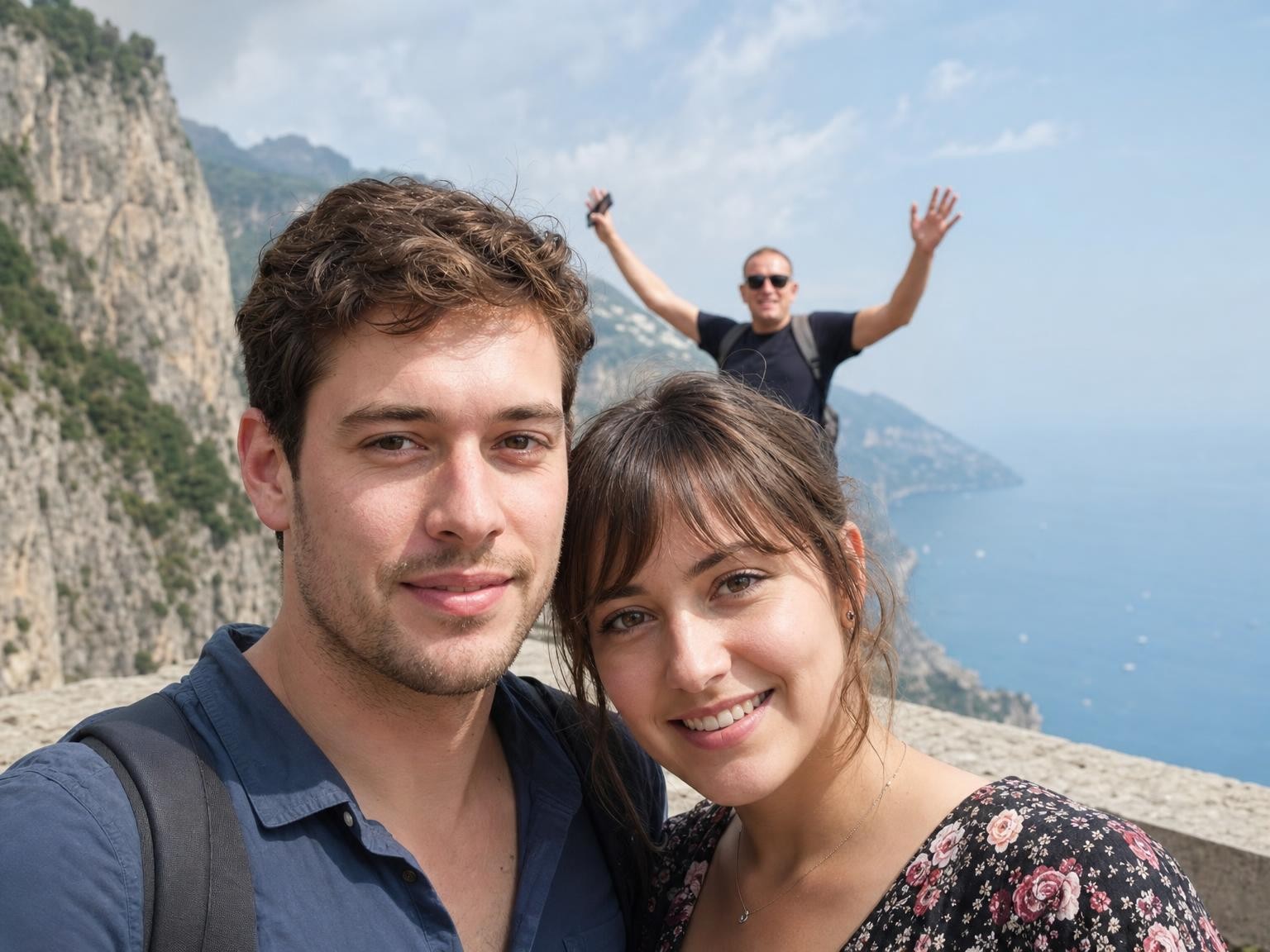
Couple portrait; stranger clearly visible behind. After = stranger gone, foliage/wall continuous behind couple. · Drop after: /assets/cases/person-couple-after.jpg
4:3 · longest side 1400–1800px · matching before/after crop · JPEG/WebP · sRGB
After pending: /assets/cases/person-couple-after.jpg
Couple portrait with a stranger behind
Mask the stranger and overlapping limbs carefully so foliage or walls continue behind your subjects—not a smudged halo.
 BeforeAfter
Replace with photo pair
Group photo with one removable person mid-frame. After = that person gone; seating/scenery reconnects. · Drop after: /assets/cases/person-group-after.jpg
4:3 · longest side 1400–1800px · matching before/after crop · JPEG/WebP · sRGB
After pending: /assets/cases/person-group-after.jpg
Group shot with one person who left the team
Erase one figure and let seating or scenery reconnect—then check edges at elbows and hairlines.
 BeforeAfter
Replace with photo pair
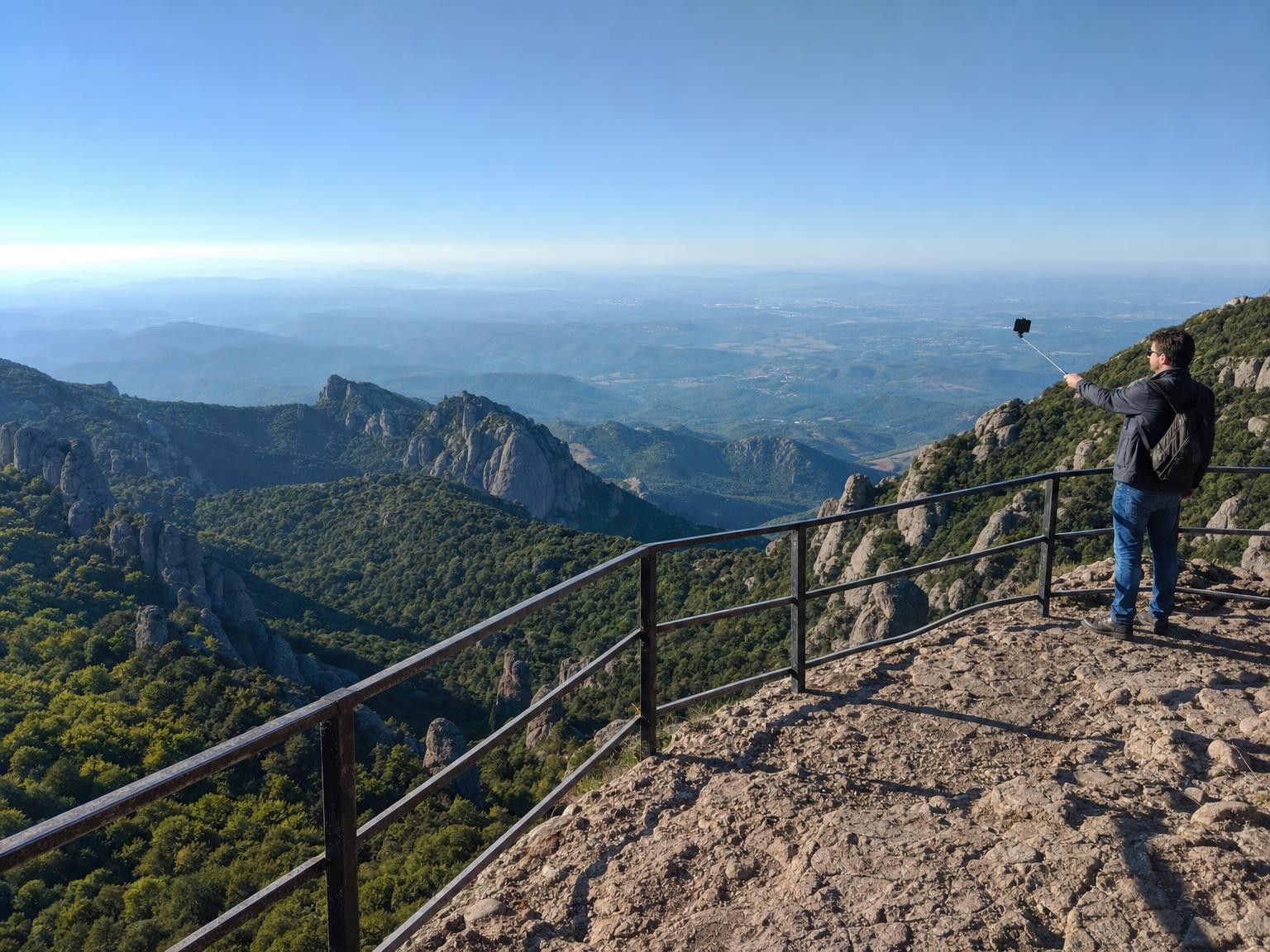
Scenic overlook; extra person with selfie stick at railing. After = person gone; railing + horizon intact. · Drop after: /assets/cases/person-overlook-after.jpg
4:3 · longest side 1400–1800px · matching before/after crop · JPEG/WebP · sRGB
After pending: /assets/cases/person-overlook-after.jpg
Selfie stick handler in a scenic overlook
Remove the extra person at the railing while preserving horizon haze and railing geometry for a clean vista.
FAQ